![Imagotype_Color_Dark-1.png]](https://pratus.disastertech.com/hs-fs/hubfs/Imagotype_Color_Dark-1.png?height=37&name=Imagotype_Color_Dark-1.png)
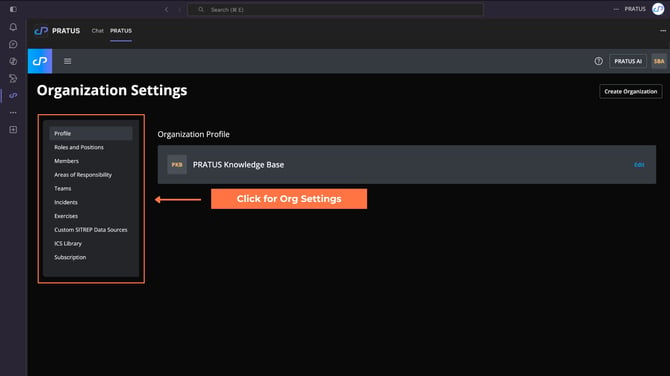
From this page, you can manage key details, such as:
- Organization Profile: View and update your organization’s profile information.
- Roles and Positions: Define roles and control what each role can access and perform.
- Members: Invite, edit, and remove members from your organization.
- Areas of Responsibility (AORs): Add, update, and remove Areas of Responsibility.
- Teams: Create and manage teams, assign Areas of Responsibility to teams, and configure additional recipients for team activations.
- Incidents: View and configure incidents associated with your organization.
- Custom SITREP Data Sources: Add and manage custom data sources for Situation Reports (SITREPs) used by PRATUS AI.
- ICS Library: Preconfigure resources and settings to support Incident Command System (ICS) workflows.
- Subscription: View subscription details and access a direct link to contact sales for account updates.
Tip: Use the menu to switch between functionalities.