
Access Your Profile
- Select the user icon in the upper right corner of your screen.
- From the drop-down menu, select Profile
Profile Information 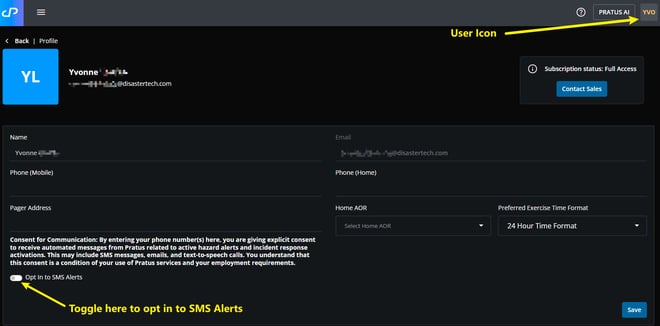
Your PRATUS profile includes the following details:
- Name
- Email address
- Phone numbers (mobile and home)
- Pager address
- Home Area of Responsibility (AOR)
- SMS alert preferences
Edit Your Profile
- Update the desired fields
- Select Save to apply changes
Note: The registered email address cannot be modified.
SMS Alert Settings
Opt In to SMS Alerts
- Toggle the SMS Alerts setting to On to enable notifications
Tip: By enabling this setting, you consent to receive automated messages related to alerts and incident response activations.