![Imagotype_Color_Dark-1.png]](https://pratus.disastertech.com/hs-fs/hubfs/Imagotype_Color_Dark-1.png?height=37&name=Imagotype_Color_Dark-1.png)
To ask PRATUS AI Chat a question, follow the step-by-step guide below.
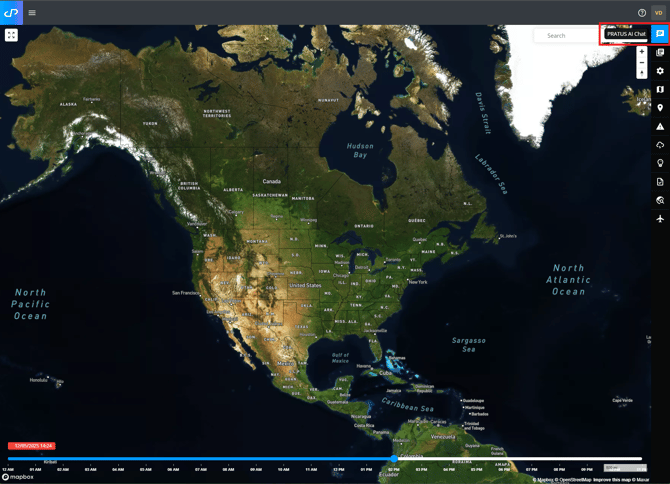
1. Click the PRATUS AI Chat Tab from the Map.
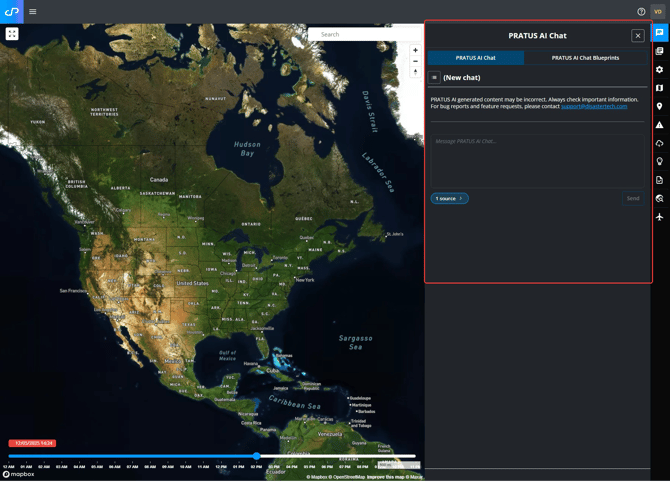
2. Click Add to start a new chat.
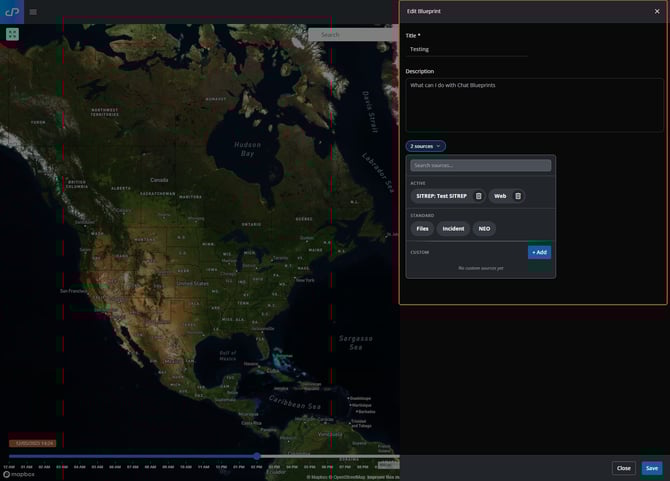
3. Select data sources for your query, including Uploaded Files and Teams/SharePoint Files. You can also add prompts to the PRATUS AI Chat Blueprints to save for another time.
NOTE. If you have files in your associate Teams/SharePoint site, you will need to click File Sync before sending your query.
4. Enter your query in the box at the top and click Send.
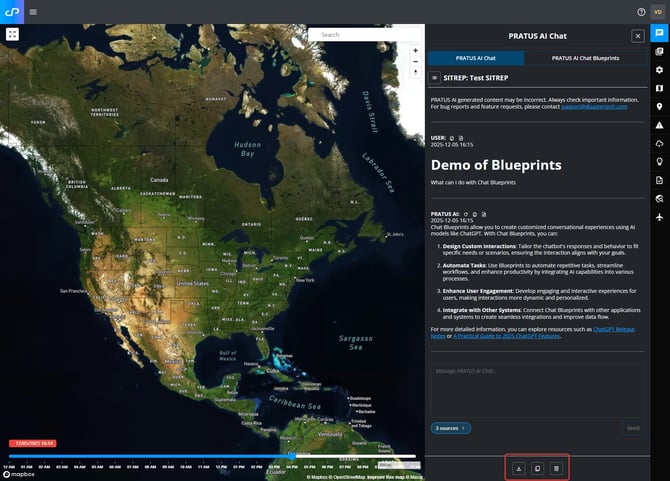
5. When PRATUS AI Chat returns your results, you can download them as a DOCX file. You can manually delete the chat, or it will store in the archive automatically.